Custom Workout Timer
This app lets you create your own workouts of timed exercises. The app will speak to remind you which exercise to do next, and count down how much time you have left. It doesn't interfere with the music player, so you can listen to your music at the same time.
For questions, bug reports, or other suggestions, please send email.
User Guide
There are five basic screens in the app. Each screen is described below. (The screenshots are bit outdated. But the basic ideas are the same.)
Workout List
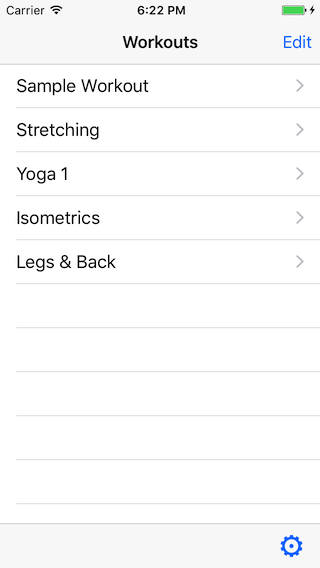
When you start the app, you see the workout list. From this screen you can do the following:
- To add a new workout, tap Edit, New Workout, and then Done.
- To delete a workout, swipe left on one of the workouts
- To reorder workouts, tap Edit, drag the workout handles, and tap Done.
- To view a workout, tap the workout name
- To copy a workout, tap and hold one of the workouts
- To go to settings, tap the gear icon in bottom left
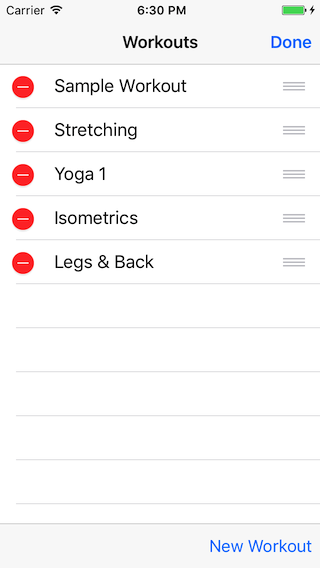
The screen after you tap Edit. The red buttons  allow you to delete workouts. The
  icons are handles for dragging and reordering workouts.
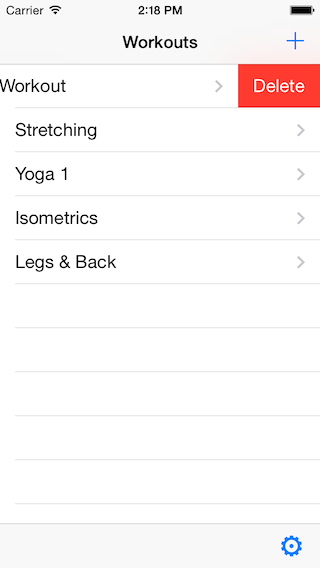
If you swipe left to delete a workout, you see a red button. Tap it to delete. Or tap somewhere else on the screen to cancel the delete.
Workout
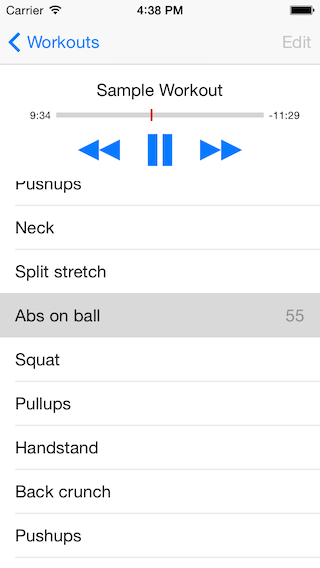
When you tap on a workout in the list, you move to a screen that shows you a scrollable list of exercises in the workout. In this screen you can do a few things.
- To play or pause the workout, tap the play
 or pause
 button.
 - To skip around in the workout, tap the skip backward
 and skip forward
  buttons,
or tap the name of an exercise in the list.
buttons,
or tap the name of an exercise in the list. - To go back to the main list of workouts, tap the < Workouts button in the top left.
- To edit the workout (rename it, add exercises, change timings), tap the Edit button in the upper right. If the workout is running, tapping Edit will also pause it.
The timeline bar below the workout title gives you some idea of how much time is left. The numbers that appear next to the exercise names are counting off the seconds remaining in the exercizes, or in the pauses between them.
Edit Workout
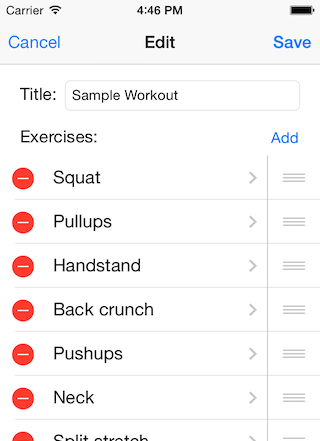
In this screen, you create your custom workout. The actions in this screen:
- To cancel and abandon the edits, tap Cancel in the upper left.
- To save edits, tap Save in the upper right.
- To change the workout title, touch the text field.
- To add a new exercise, tap Add.
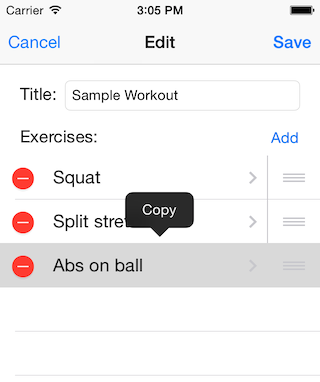
- To copy a existing exercise, touch and hold the exercise name until the popup menu appears. Then tap Copy. The second image below shows you what the popup looks like.
- To remove an exercise, tap the red button.
- To move an exercise within the list, touch and hold three line icon , then drag it.
- To edit one exercise (its name and duration), tap the exercise name
Edit One Exercise
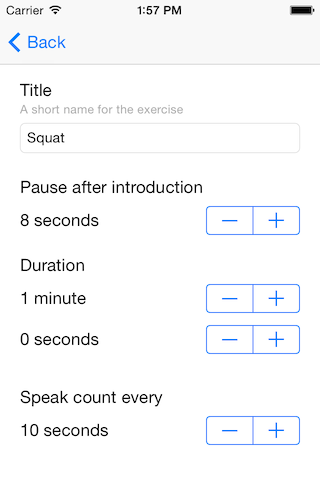
In this screen you choose a title for the exercise, and adjust several time durations. If your iPhone is sideways (ie, screen is wider than it is tall), you may need to scroll to see the whole screen.
The Title is used by the app to announce the exercise. So in the example below, when you run the workout, you will hear "Prepare for 1 minute squat".
The first number, Pause after introduction, is how long it waits after speaking that intro sentence and before begining the countdown. You can increase this number if you need time to get into a position or adjust equipment.
The Duration is the key number. The will countdown for this amount of time before starting the next exercise.
Speak count every determines how often you hear the countdown. In this example, it's 10 seconds, so you would hear the app speak "60 seconds" ... "50 seconds" ... "40 seconds" ... etc.
Settings
You get to the settings screen from the workout list, the first screen described above.
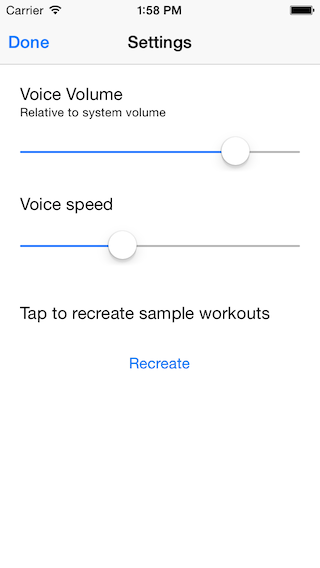
Here you can adjust the volume and speed and of the app's synthetic voice. The volume adjustment may be useful if you listen to music while you workout. If the music is loud it can be hard to always hear the countdown. Setting the volume high could help. If the music is softer, the voice may be too loud and jolting, so you can lower the volume here.
The app comes with a sample workout (or maybe a few), and you can delete or edit them like any other workout. If you tap Recreate, you get another copy of the original sample workout(s) in your workout list.